Small business owner and IT consultant reviewing cybersecurity assessment together in a conference room

Under Armour Ransomware Breach — 72 Million Customers Exposed

Another Retail Giant Falls to Ransomware

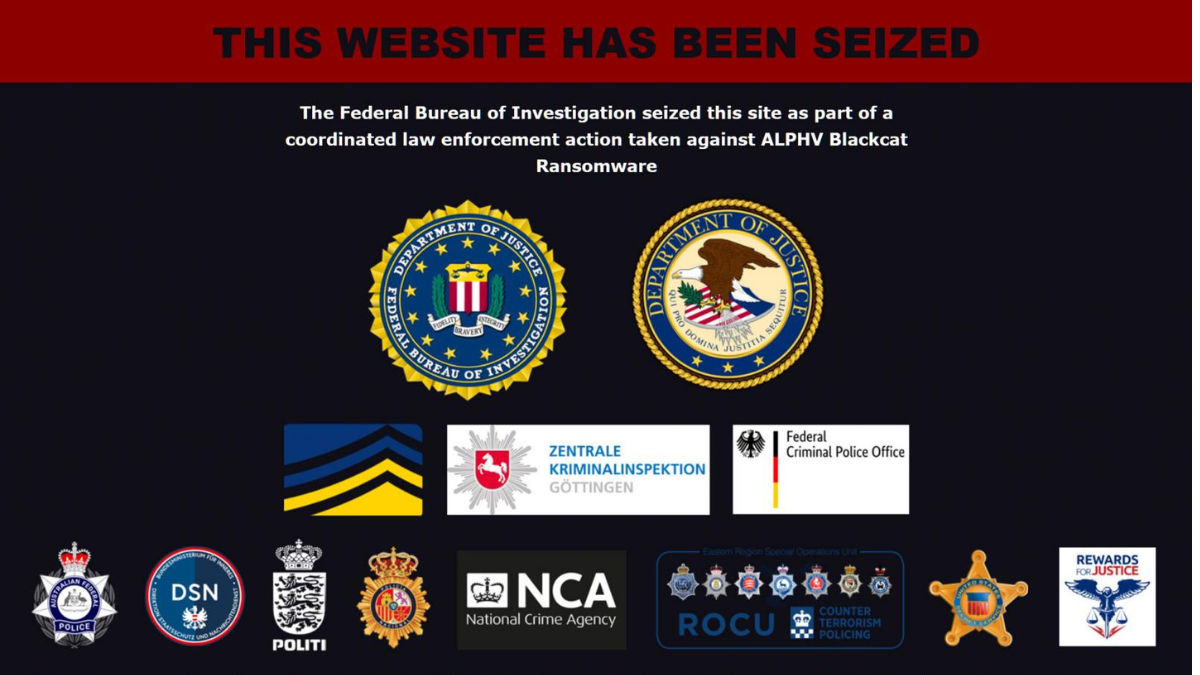
Under Armour has confirmed that a ransomware attack resulted in customer data appearing on dark web forums. The breach exposed approximately 72 million customer records—names, email addresses, purchase histories, and in some cases, partial payment information.

For context, 72 million records represents more than the entire population of California, Texas, and Florida combined. This wasn’t a small data leak. This was a catastrophic exposure of customer trust.

Take Our 2-Minute Security Assessment

centrexIT has helped businesses protect customer data and respond to security incidents since 2002. If you’re not sure how your customer data is protected, let’s find out together.

Take the 2-Minute Cybersecurity Assessment

The Anatomy of a Retail Data Breach

Retail companies make attractive ransomware targets for several reasons. They collect massive amounts of customer data—names, addresses, payment information, purchase histories, loyalty program details. They often operate on thin margins that make security investments compete with other priorities. And they typically have complex technology environments spanning point-of-sale systems, e-commerce platforms, supply chain integrations, and corporate networks.

When ransomware operators breach a retail environment, they don’t just encrypt files anymore. Modern ransomware attacks follow a double-extortion model: attackers steal data first, then encrypt systems. If the victim refuses to pay for decryption, the attackers threaten to publish the stolen data. If the victim still refuses, the data hits the dark web—exactly what happened with Under Armour.

According to the Verizon 2025 Data Breach Investigations Report, ransomware was present in 44% of all breaches analyzed—a significant jump from 32% the previous year. The same report found that ransomware attacks rose 37% overall year-over-year, making it the dominant attack pattern across industries.

What Happens When Customer Data Hits the Dark Web

Once customer records appear on dark web forums, they become tools for additional attacks. Here’s what typically happens:

Credential stuffing: Attackers test the stolen email and password combinations against other services. Since many people reuse passwords, a breach at one company can compromise accounts elsewhere.

Phishing campaigns: With detailed purchase histories, attackers can craft convincing phishing emails. “We noticed a problem with your recent Under Armour order” becomes much more believable when they actually know what you ordered.

Identity theft: Names, addresses, and purchase patterns provide building blocks for identity fraud. Combined with information from other breaches, attackers can construct detailed profiles of potential victims.

Secondary sales: Initial buyers on dark web forums often repackage and resell data to other criminal groups, extending the exposure window indefinitely.

The SMB Connection

Under Armour is a multi-billion dollar company with dedicated security teams and significant technology budgets. If they can suffer a breach of this magnitude, what does that mean for smaller businesses?

The uncomfortable truth: small and mid-size businesses face the same threats but often with fewer resources. According to the Verizon 2025 DBIR, 88% of breaches at small and mid-sized businesses involved ransomware. And the Sophos State of Ransomware 2025 report found that the average recovery cost from a ransomware attack—excluding any ransom payment—was $1.53 million.

But there’s a nuance here that matters. Large enterprises get breached because they’re big targets with complex environments and valuable data. SMBs get breached because they’re easier targets with fewer defenses. Different reasons, but the same devastating outcomes.

Lessons for Every Business

The Under Armour breach reinforces several security fundamentals that apply regardless of company size:

Customer data requires special protection. Not all data is equal. Information that identifies individuals—names, addresses, purchase histories, payment details—deserves the highest level of protection because the consequences of exposure are severe and long-lasting.

Backup alone isn’t ransomware protection. Double-extortion attacks mean that even if you can restore from backups, attackers still have your data. Recovery planning must account for data theft, not just system encryption.

Detection speed matters enormously. The longer attackers remain in your environment before detection, the more data they can steal. Reducing dwell time from months to days can mean the difference between a contained incident and a catastrophic breach.

Incident response planning is essential. When a breach occurs, you don’t have time to figure out who does what. Response plans, communication templates, and decision trees need to exist before you need them.

Questions to Ask Your IT Team

Whether you manage IT internally or work with a partner, these questions can help assess your readiness:

Where does our customer data live? Can you map every system, database, and application that stores or processes customer information?

How would we know if data was being exfiltrated? Do you have monitoring that would detect unusual data transfers?

What’s our ransomware response plan? Beyond restoring from backup, how would you handle a situation where attackers have already stolen data?

When did we last test our backups? Having backups is different from having working, restorable, verified backups.

Take Our 2-Minute Security Assessment

centrexIT has helped businesses protect customer data and prepare for security incidents since 2002. If you’re not sure how your organization would handle a ransomware attack, let’s find out together.

Take the 2-Minute Cybersecurity Assessment

Sources

Dylan Natter CEO centrexIT From the CEO Desk article about the 88 percent problem showing ransomware disproportionately targets small and midsize businesses

The 88% Problem

I came across a number recently that I haven’t been able to shake.

88%.

That’s the percentage of ransomware breaches last year that hit small and midsize businesses. Not the big guys. Not government. Businesses like the ones we work with every day.

For larger enterprises? That number is 39%.

When I first saw that, I thought there had to be something off with the data. But it checks out. And honestly, when you think about it, the math makes sense.

Why the Shift Happened

I’ve been in this industry for over two decades now, and I’ve watched the target move. The big companies got serious. They built out security teams, layered their defenses, made themselves expensive to go after. So the attackers adjusted.

It’s kind of like that story I heard early in the pandemic about toilet paper. Remember that? Someone explained to me that we didn’t actually have a shortage. The problem was proportion. It used to be 50/50 between commercial and home use. Then overnight it went to 95/5, and the manufacturers just weren’t set up for that shift.

Same thing happened here. Small and midsize businesses adopted cloud platforms, remote work tools, all these connected systems. That’s great for productivity. But most of them moved faster on the technology than they did on the security around it.

Attackers aren’t dumb. They follow the path of least resistance. Right now, that path runs straight through the mid-market.

The Assumption That Gets People in Trouble

I still hear it from business owners all the time: “We’re not big enough to be worth going after.”

I get why people think that. But here’s what that misses.

These attacks aren’t hand-crafted for each victim anymore. They’re automated. Attackers are running broad campaigns that scan thousands of organizations at once. They don’t care about your revenue. They care about whether your door is open.

And here’s the part that really concerns me: the window between “someone got in” and “everything is locked” has shrunk to about five days. Most businesses don’t even know they’ve been compromised in that timeframe.

Then there’s this: 69% of companies that paid a ransom got hit again. Once you’re marked as someone who pays, you become a repeat target. That’s really a thing now.

What We’re Seeing Work

Look, I’m not going to pretend we have all the answers. We’re far from perfect. But after watching this play out across dozens of organizations, you start to see patterns.

The ones that stay protected tend to share a few things:

They actually know what they have. You can’t protect systems you don’t know exist. Shadow IT, old cloud accounts nobody remembers, contractor access that never got turned off. These gaps are where attackers get in.

They’ve shifted their mindset. Instead of trying to prevent everything, they’re focused on detecting and responding quickly. Perfect prevention isn’t realistic. Fast containment is.

They treat security as ongoing operations, not a one-time project. The businesses that get hit are often the ones who did an audit two years ago and figured they were covered.

They have people watching. The tools are important, but the tools alone aren’t enough. You need people who can see context, who can catch the things that don’t fit a pattern. That’s really what we mean when we talk about People-First, AI-Amplified. The technology makes the people more effective. It doesn’t replace the judgment.

The Question Worth Asking

Here’s what I’d challenge you to think about: if someone started probing your systems tonight, how long would it take you to know?

Not how long until they got in. How long until you noticed someone was trying.

If the honest answer is “I have no idea,” that’s the gap worth closing.

The 88% number isn’t going down anytime soon. But whether your organization ends up part of that statistic is still something you can control.

Let’s Talk About Where You Stand

If you’re not sure what your security gaps look like, I’m happy to spend 30 minutes walking through it with you. No pitch, no pressure. Just an honest conversation about what’s working and what’s not.

Schedule a free 30-minute session

Sources

Office desk with laptop displaying Chrome browser extensions panel, illustrating the security risk of malicious browser extensions targeting enterprise HR and business platforms.

Malicious Chrome Extensions Stole Credentials from 2,300 Businesses

Five browser extensions were just removed from the Chrome Web Store after security researchers discovered they were stealing login credentials from enterprise HR and business platforms.

The extensions posed as productivity tools for Workday, NetSuite, and SAP SuccessFactors. Instead, they harvested authentication cookies every 60 seconds, blocked security administration pages to prevent incident response, and enabled complete account takeover—all while bypassing multi-factor authentication.

Over 2,300 users installed them before removal. Some are still available on third-party download sites.

Take the 2-Minute Cybersecurity Assessment: https://centrexit.com/cyber-security-readiness-assessment/

What Happened

On January 15, 2026, security researchers at Socket discovered five malicious Chrome extensions operating as a coordinated attack campaign. The extensions shared identical code structures, API patterns, and infrastructure despite appearing under different publisher names.

The five malicious extensions were:

  • DataByCloud 1 (1,000 installs)
  • DataByCloud 2 (1,000 installs)
  • DataByCloud Access (251 installs)
  • Tool Access 11 (101 installs)
  • Software Access (unknown installs)

All marketed themselves as tools to streamline access to enterprise platforms, promising faster workflows and bulk account management.

None delivered on those promises. Instead, they executed three distinct attack types simultaneously.

How the Attack Worked

Cookie theft every 60 seconds. The extensions continuously extracted authentication cookies from targeted platforms including Workday, NetSuite, and SAP SuccessFactors. These cookies contain active login tokens that allow access without re-entering credentials. The stolen data was encrypted and sent to remote servers controlled by the attackers.

Security page blocking. Two of the extensions actively blocked access to security administration pages within Workday. When administrators tried to access authentication policies, IP range settings, password reset functions, or audit logs, the pages either displayed blank content or redirected elsewhere. This prevented IT teams from responding to the breach or even detecting unusual activity.

Session hijacking. Using the stolen cookies, attackers could take over authenticated sessions without needing usernames, passwords, or MFA codes. The session tokens were already validated—the attackers simply injected them into their own browsers and gained full access.

Why This Bypassed MFA

Multi-factor authentication protects the login process. It verifies identity when you enter credentials. But once you’re logged in, your session is maintained by cookies and tokens—not continuous MFA checks.

These extensions stole the session tokens after authentication was complete. The attackers didn’t need to bypass MFA because they were hijacking sessions that had already passed all security checks.

This is why session management and browser security matter as much as strong authentication.

What to Do Now

If your organization uses Chrome and accesses HR or business platforms through the browser, take these steps:

Audit installed extensions. Open Chrome, go to the extensions page (chrome://extensions), and review everything installed. Specifically check for and remove these five extensions if present: DataByCloud 1, DataByCloud 2, DataByCloud Access, Tool Access 11, and Software Access. Also remove anything else unfamiliar, especially tools claiming to provide access to HR or ERP platforms. Legitimate enterprise platforms don’t require third-party browser extensions.

Check across all devices. If Chrome sync is enabled, malicious extensions may have spread to multiple devices. Audit each one separately.

Review authentication logs. Check Workday, NetSuite, or SuccessFactors admin panels for unexpected sessions, unfamiliar IP addresses, or access from unusual locations during the period any suspicious extensions were installed.

Reset passwords from a clean system. If you suspect exposure, change passwords—but do it from a device you’ve verified is clean. Resetting from an infected browser means the new credentials get stolen immediately.

Implement extension allowlists. Chrome Enterprise allows organizations to restrict which extensions can be installed. Consider implementing allowlists that only permit approved, vetted extensions.

The Bigger Picture

Browser extensions are one of the most overlooked attack vectors in enterprise security. They run inside the browser with access to everything you access—passwords, session tokens, sensitive data, internal systems.

Traditional perimeter security doesn’t see them. Endpoint protection often ignores them. They bypass network monitoring entirely because the data theft happens within encrypted browser sessions.

Most organizations don’t have policies governing what extensions employees can install. Most don’t audit installed extensions regularly. Most wouldn’t know if an extension was exfiltrating data right now.

This attack worked because browser security is still treated as an afterthought in most enterprise environments. That needs to change.


Take Our 2-Minute Security Assessment

centrexIT has protected businesses since 2002. Browser security is just one piece of a comprehensive security posture. Find out where your organization stands.

Take the 2-Minute Cybersecurity Assessment: https://centrexit.com/cyber-security-readiness-assessment/


Sources

  • Socket Security Research (January 15, 2026): “5 Malicious Chrome Extensions Enable Session Hijacking in Enterprise HR Platforms”
  • The Hacker News (January 16, 2026): “Five Malicious Chrome Extensions Impersonate Workday and NetSuite to Hijack Accounts”
  • BleepingComputer (January 16, 2026): “Credential-stealing Chrome extensions target enterprise HR platforms”
  • Infosecurity Magazine (January 19, 2026): “Malicious Google Chrome Extensions Hijack Workday and Netsuite”
IT operations team reviewing AI readiness assessment on laptop screen with whiteboard showing artificial intelligence readiness framework and four pillars during planning meeting in office conference room

How to Evaluate If Your Organization Is Ready for Autonomous Systems

Businesses are asking “should we adopt autonomous systems?” when the better question is “are we ready to adopt autonomous systems?”

Those are very different questions. And the honest answer for many organizations is: not yet.

Here’s why that’s okay—and how to know where you stand.

The Readiness Gap Nobody Talks About

Accenture research shows that only 12% of companies have reached what they call “AI maturity”—the organizational readiness to deploy autonomous systems effectively.

That means 88% of businesses are somewhere on the journey, but not at the destination.

The problem isn’t the technology. AI systems that can monitor networks, respond to incidents, optimize performance, and manage routine operations already exist. They work.

The problem is organizational readiness. Autonomous systems require foundations that many businesses haven’t built yet. Trying to deploy AI before you’re ready doesn’t accelerate progress—it creates expensive failures.

Take the Assessment: https://centrexit.com/cyber-security-readiness-assessment/

The Four Readiness Pillars

After working with dozens of organizations at different stages of this journey, we’ve identified four pillars that determine whether autonomous systems will help you or hurt you.

1. Process Clarity

Autonomous systems execute processes. If your processes aren’t documented, standardized, or consistently followed, giving them to AI just automates chaos.

Ask yourself: If someone asked “how do we handle a security alert?” would five different team members give the same answer? If not, you’re not ready for automation.

You need: Documented workflows, clear escalation paths, and consistent execution. AI can’t create process discipline—it can only amplify what already exists.

2. Data Foundation

AI systems learn from data. If your data is incomplete, inconsistent, or trapped in disconnected systems, autonomous operations will make decisions based on incomplete information.

Ask yourself: Can you easily access accurate data about system performance, user activity, security events, and operational metrics? If gathering that information requires manual effort across multiple tools, your data foundation isn’t ready.

You need: Centralized logging, consistent monitoring, integrated systems, and clean data pipelines. Not perfect data—but reliable, accessible, consistent data.

3. Trust Infrastructure

Autonomous systems require trust—but that trust has to be earned through proven reliability in controlled scenarios.

Ask yourself: Do you have environments where AI can prove itself with limited risk? Can you test autonomous decision-making in non-critical systems before expanding to critical operations?

You need: Sandbox environments, pilot programs, and a phased implementation approach that views AI deployment as gradual adoption, not binary commitment. Trust builds gradually, not overnight.

4. Governance Framework

This is the pillar most organizations skip—and it’s the most critical.

Autonomous systems need clear boundaries. What decisions can AI make independently? What requires human review? What’s completely off-limits to automation?

Ask yourself: If an AI system made a decision that caused a problem, would your team know who’s accountable and what the review process looks like? If the answer is unclear, your governance isn’t ready.

You need: Defined decision authority, accountability structures, override mechanisms, and audit capabilities. AI doesn’t eliminate responsibility—it changes how responsibility is structured.

The Readiness Assessment Framework

Here’s a practical framework to evaluate where you stand:

Level 1: Foundation Building

  • Processes are inconsistent or undocumented
  • Data exists but isn’t centralized or reliable
  • No formal AI governance discussions
  • Team skeptical or uncertain about AI

What this means: You’re not ready for autonomous systems yet—but you can start building readiness. Focus on process documentation and data centralization first.

Level 2: Readiness Emerging

  • Core processes documented and followed
  • Monitoring and logging mostly centralized
  • Exploring AI capabilities in limited pilots
  • Some governance conversations happening

What this means: You’re building the foundation. Start small-scale pilots in non-critical areas. Use these to build trust and refine governance.

Level 3: Deployment Ready

  • Standardized processes across operations
  • Reliable, accessible data infrastructure
  • Successful pilots with measurable outcomes
  • Clear governance framework in place

What this means: You’re ready to expand autonomous systems into production operations. Start with bounded decision-making and expand based on proven results.

Level 4: Operational Maturity

  • Autonomous systems handling routine operations
  • Continuous learning from operational data
  • Mature governance with clear accountability
  • Team confidently directing AI systems

What this means: You’re in the 12%. Now the focus shifts to optimization, expanding capabilities, and continuous improvement.

Why Readiness Matters More Than Speed

Companies rush toward autonomous systems because competitors are doing it, or because they feel pressure to “innovate,” or because AI becomes a board-level discussion topic.

The ones who succeed aren’t the fastest to adopt. They’re the ones who build readiness first.

Here’s what happens when organizations skip readiness:

Autonomous systems make bad decisions based on incomplete data. Teams lose trust in AI capabilities. Governance failures create accountability gaps. The organization concludes “AI doesn’t work” when the real problem was “we weren’t ready.”

Contrast that with phased, readiness-based adoption:

Small pilots prove value in controlled environments. Teams build confidence through successful experiences. Governance frameworks prevent surprises. The organization expands AI capabilities because they’ve earned trust through demonstrated results.

Same technology. Completely different outcomes. The difference is readiness.

Where to Start Based on Your Level

If you’re at Level 1, most organizations are still building foundations with you. Your next step isn’t AI deployment—it’s process documentation and data centralization.

If you’re at Level 2, you’re in the pilot phase. Run small experiments in non-critical systems. Build governance frameworks before expanding. Let trust develop through proven performance.

If you’re at Level 3 or 4, you’re ahead of most. Your focus shifts to optimization, risk management, and scaling what’s working.

The autonomous IT era is coming—but it’s not a race where speed wins. It’s a transformation where readiness determines success.

Assess honestly where you stand. Build the foundations that matter. Deploy when you’re ready, not when you feel pressured.

That’s how organizations get autonomous systems that actually work.

Take Our 2-Minute Security Assessment

Readiness starts with understanding where you currently stand. Our cybersecurity assessment helps identify gaps in your foundation—the same foundation autonomous systems require.

centrexIT has helped San Diego businesses operate with confidence since 2002. Now we’re helping them prepare for what comes next.

Take the Assessment: https://centrexit.com/cyber-security-readiness-assessment/

Hand holding smartphone displaying Uber logo with data breach warning alert, illustrating the September 2022 MFA fatigue attack that compromised Uber's internal systems through exhausted contractor approval.

How Uber Was Breached Through MFA Fatigue: A Security Wake-Up Call

September 2022. A ride-share giant’s entire network compromised. Not through sophisticated malware or zero-day exploits—but because someone got tired of saying no.


It started with a stolen password.

An Uber contractor’s credentials—likely purchased from the dark web after an earlier breach—gave an attacker the first piece they needed. But Uber had multi-factor authentication protecting those credentials. Every login attempt triggered a push notification to the contractor’s phone: “Approve this sign-in?”

The contractor kept denying it.

So the attacker kept trying.

Again. And again. And again.

Push notification after push notification flooded the contractor’s phone. 10 notifications. 20 notifications. 40 notifications in 30 minutes. During work hours. During dinner. Late at night.

Eventually, exhausted and assuming it was some kind of system glitch, the contractor approved one.

The attacker was in.

What Happened Next

Once inside the network, the attacker moved laterally through Uber’s systems with alarming speed. They gained access to:

  • Internal Slack channels where employees had shared credentials
  • Cloud storage containing code repositories
  • Administrative tools for Uber’s production environment
  • Third-party systems including security platforms

The attacker even accessed Uber’s HackerOne account—the platform Uber uses to run its bug bounty program—and sent messages to security researchers announcing the breach.

“I announce I am a hacker and Uber has suffered a data breach,” one message read, accompanied by screenshots of internal systems.

The entire Uber engineering team had to be locked out of their own code repositories while the company investigated. Services went dark. The incident response scramble consumed hundreds of employee hours.

All because someone got tired of dismissing authentication requests.

How MFA Fatigue Attacks Work

Multi-factor authentication is supposed to stop exactly this scenario. You know the password? Great—but you still need to approve the login from your registered device.

Except attackers discovered the weakness: human psychology.

The attack pattern is simple:

Step 1: Obtain valid credentials (purchased, phished, or breached)
Step 2: Automate login attempts with those credentials
Step 3: Generate dozens or hundreds of MFA push notifications
Step 4: Wait for the victim to approve one out of frustration or confusion

The victim isn’t being tricked into revealing their password. They’re being exhausted into approving access they know is unauthorized.

Security professionals call it “MFA fatigue” or “push notification bombing.” Attackers call it effective.

The Social Engineering Layer

In Uber’s case, the attacker added one more element: they contacted the contractor directly.

Posing as Uber IT support, the attacker messaged the contractor claiming the notifications were part of a system fix. “Just approve the next one and they’ll stop,” the message suggested.

Tired of the constant alerts and believing they were talking to legitimate IT staff, the contractor approved the authentication request.

That combination—technical persistence plus social manipulation—is what makes MFA fatigue attacks so dangerous. The victim often knows something is wrong but approves anyway.

Why Traditional MFA Failed

Uber had implemented what many organizations consider best practice: multi-factor authentication requiring device approval.

But the implementation had a critical flaw—it allowed unlimited authentication attempts without throttling or alerts. An attacker could send 100 push notifications with no consequences beyond annoying the user.

The system treated each authentication request independently. No escalation after 5 denials. No automatic lockout after 10 attempts. No alert to security teams that something abnormal was happening.

The MFA provided security theater—visible protection that gave a false sense of safety—without addressing the human factor.

What Makes You Vulnerable

Your organization is vulnerable to MFA fatigue attacks if:

  • MFA push notifications have no attempt limits
  • Users can approve requests without context (what device, what location, what service)
  • No alerts trigger after multiple denied attempts
  • Contractors and vendors use the same MFA as internal employees
  • Users receive MFA requests during off-hours with no additional verification

The Uber breach demonstrated that MFA alone—without proper implementation and monitoring—creates a false confidence. You believe you’re protected because you have two-factor authentication. You’re not wrong, but you’re not as safe as you think.

The Aftermath

Uber disclosed the breach publicly after the attacker announced it themselves. The company’s new chief security officer, hired just months earlier specifically to improve security culture, faced their first major crisis.

The Federal Trade Commission later included the Uber breach in enforcement actions, highlighting the company’s pattern of security failures. The incident cost Uber millions in investigation, remediation, and regulatory response.

But the broader damage was to trust. Uber riders, drivers, and employees all had to question whether their personal information was secure. The breach exposed sensitive data including:

  • Driver license information
  • Social Security numbers
  • Background check details
  • Internal communications
  • Security vulnerability reports

For the contractor whose account was compromised? They likely faced internal review despite being the victim of a sophisticated social engineering attack.

What Actually Prevents This

Preventing MFA fatigue attacks requires layering defenses:

Number matching: Instead of “Approve yes/no,” the system displays a number that must be entered on the authenticating device. This eliminates mindless approval.

Attempt throttling: After 3 denied MFA requests, lock the account and alert security. After 5 denials, require in-person verification.

Context in requests: Show users what they’re approving—device type, location, IP address, time. “Someone in Russia is trying to log into your account at 3 AM” gets different treatment than generic requests.

Time-based restrictions: If your employees never log in from Asia at 2 AM, automatically deny those requests regardless of MFA approval.

Separate authentication for high-value access: Administrative accounts shouldn’t use the same MFA as standard users. Add hardware tokens or biometric requirements.

The goal isn’t making authentication harder—it’s making social engineering attacks impossible to execute at scale.

The Real Lesson

The Uber breach proves something security teams already knew: people will eventually do what’s convenient, even when they know it’s wrong.

The contractor who approved that authentication request wasn’t careless. They were human. Exhausted. Overwhelmed. Trusting that someone claiming to be IT support was telling them the truth.

Your security architecture has to account for that. Not with blame or punishment—with design that makes the secure choice the easy choice.

MFA fatigue attacks work because the secure action (denying every single request) creates friction. The attack exploits that friction.

The question isn’t whether your employees will eventually approve something they shouldn’t. The question is: what happens when they do?


Take Our 2-Minute Security Assessment

centrexIT has protected San Diego businesses since 2002. If MFA fatigue attacks concern you—or if you’re not sure whether your authentication system can withstand this kind of social engineering—let’s find out together.

Take the 2-Minute Cybersecurity Assessment:
https://centrexit.com/cyber-security-readiness-assessment/


Sources

  • TechCrunch: “Uber Investigating Breach of Internal Computer Systems” (September 2022)
  • BleepingComputer: “Uber Hacked, Internal Systems Breached” (September 2022)
  • The New York Times: “Uber Investigating Breach of Its Computer Systems” (September 2022)
  • KrebsOnSecurity: “MFA Fatigue Attacks” (2022)
  • CISA: “Multi-Factor Authentication (MFA)” – Cybersecurity Best Practices
  • Microsoft Security: “Number Matching in Microsoft Authenticator” (2022)